Help · Display
What you are looking at
Tosh Dash has three pages: RIDE, RECORDS and SYSTEM. There are no buttons — you pick the page and the layout from your phone under Settings → Display.
The ride page
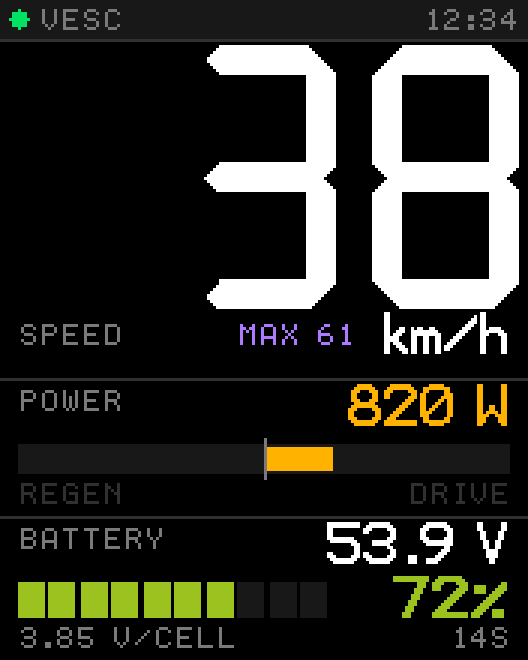
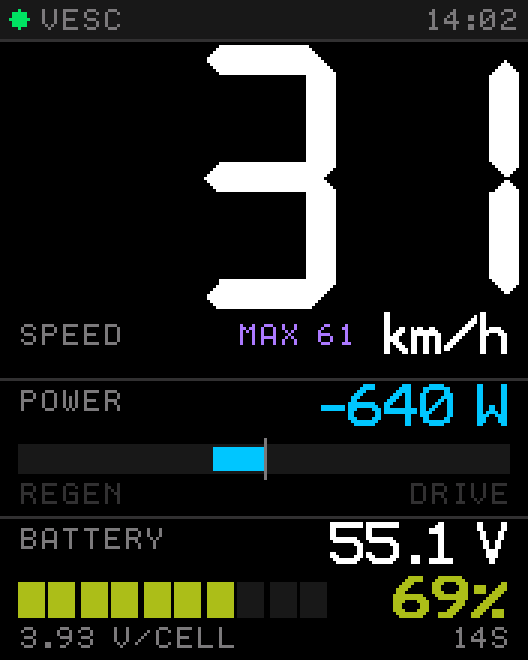
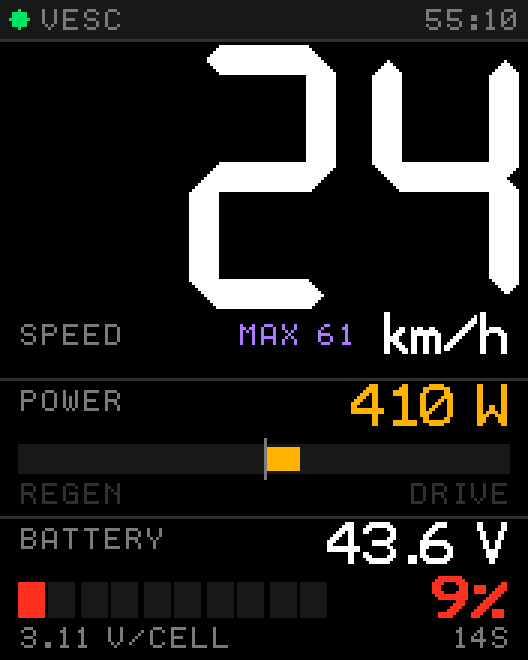
The ride page has a status bar and three slots. Out of the box they show speed, a power bar and a battery bar.
| Area | Shows |
|---|---|
| Status bar | Connection dot (green = VESC answers, red = no data) and ride time. Red? Check the wiring |
| Big number | Slot 1. With SPEED selected, your top speed of this ride appears as MAX underneath. |
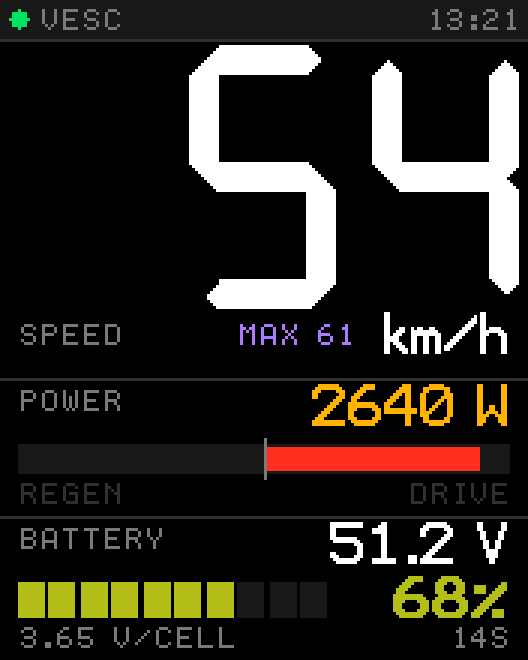
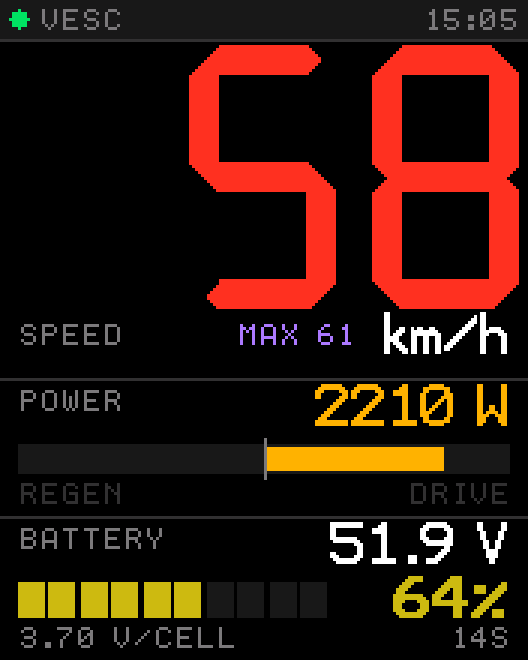
| Power bar | Watts right now. Amber to the right while driving, cyan to the left while braking (regen). Turns red near full power. The bar spans ±3000 W. |
| Battery bar | Pack voltage, charge in percent, volts per cell and the cell count. |
What the colors mean
| Value | Green | Amber | Red |
|---|---|---|---|
| Battery | plenty left | getting low | nearly empty — head home |
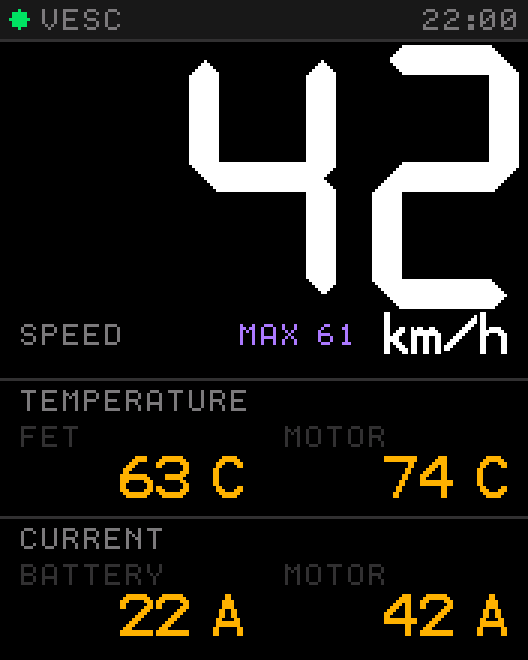
| FET temperature | below 60 °C | 60–79 °C | 80 °C and above |
| Motor temperature | below 70 °C | 70–89 °C | 90 °C and above |
| Speed | white | above your speed warning | |
The records page
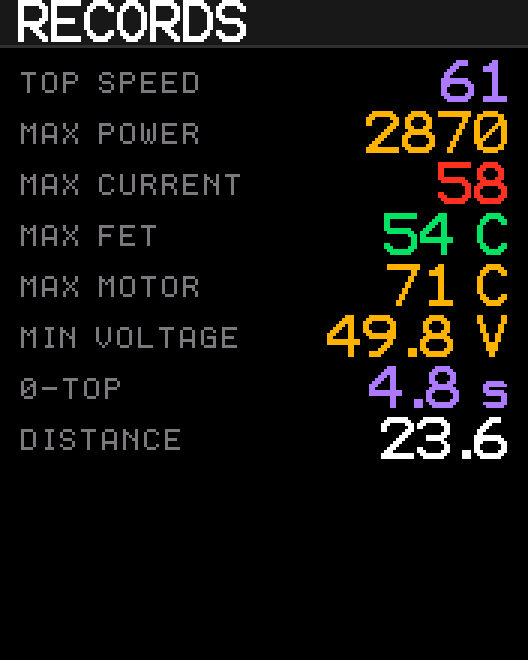
Best values of the current ride. They start fresh every time the display powers up.
| Line | Meaning |
|---|---|
| TOP SPEED | Highest speed reached. |
| MAX POWER | Highest electrical power drawn, in watts. |
| MAX CURRENT | Highest current, in amps. |
| MAX FET / MAX MOTOR | Highest controller and motor temperature. |
| MIN VOLTAGE | Deepest voltage sag under load. |
| 0-TOP | Best time from standstill to your target speed. Shows -- until you complete a run. |
| DISTANCE | Distance of this ride. |
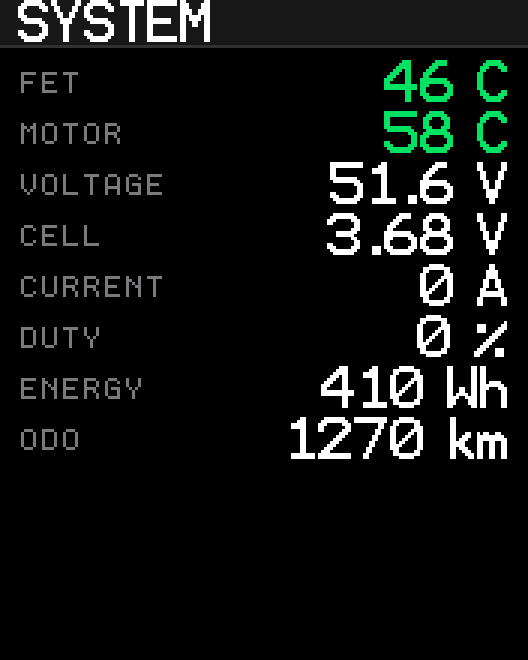
The system page
The page to check when something feels off.
| Line | Meaning |
|---|---|
| FET / MOTOR | Temperatures right now, colored as above. |
| VOLTAGE / CELL | Pack voltage and the average per cell. |
| CURRENT | Battery current. |
| DUTY | How close the controller is to its limit. Near 95 % you are at top speed. |
| ENERGY | Watt-hours used on this ride. |
| ODO | Total distance. Survives power-off. |