Help · Troubleshooting
When something is not right
Almost every problem is one of these. Tap a line to open it.
Connection to the VESC
The dot stays red and “VESC” is red
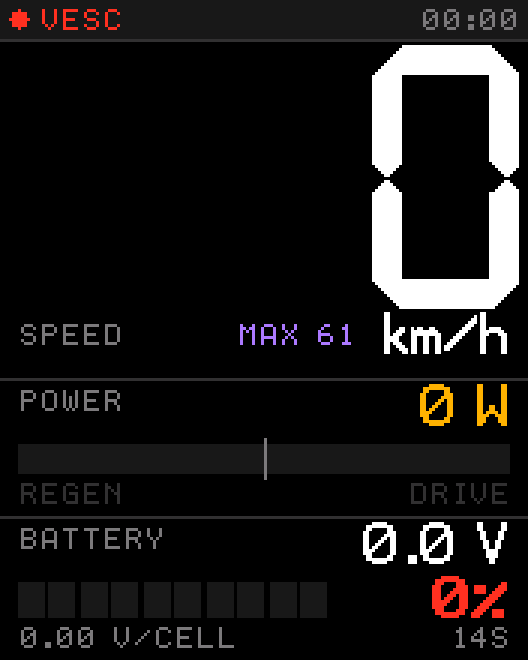
What it means: the display is running, but it gets no answer from the VESC. All values stay at zero. Work through this list from the top — the first three cover nearly every case.
Show wiring and VESC Tool settings
- TX and RX swapped — the most common cause. Swap the two data wires. Nothing can break.
- Wrong baud rate. It must be
115200under App Settings → UART. Easy to overlook: the wiring is perfect and still nothing arrives. - UART not enabled. In VESC Tool set App to Use to
UART(or a combination that includes UART) and write the app configuration — without writing, nothing changes. - No common ground. GND must be connected even if the display is powered elsewhere.
- Port in use. A Bluetooth module on the same UART port blocks it. See Wiring.
The dot is green but turns red now and then
The display marks the link as lost after 1.5 seconds without data. Check for a loose connector or a cable running right next to the motor phase wires — move it away from them.
Wrong numbers
Speed is double, half or clearly off
Check Motor and drivetrain. Double speed means you entered pole pairs instead of poles. Off by a fixed factor usually means gear ratio; off by a few percent means wheel diameter.
Battery shows 100 % or 0 % all the time, or jumps around
Cell count or the full/empty voltages do not match your pack. Use the table under Battery. A dip while accelerating is normal — voltage sags under load.
RANGE or USE only shows a dash
Both are learned while you ride. Cover a little distance and they appear. After a restart they start learning again.
The big number is cut off or looks small
Three-digit mode has to fit 999 into the width of the screen. If you stay below 100, switch Big number width to 2 digits. Setting a slot to OFF also gives the number more room.
Screen
The screen stays dark
No power. Check 5V and GND at the VESC, and that the VESC itself is on. Measure 5 V between the two pins if you can.
The screen is white or shows garbage
The display module is not being driven. Switch off and on once. If it stays white, write me an email or message me on TikTok — this is not something you can fix from the outside.
Wi-Fi and settings
I cannot find the TOSH-Setup network
If you stored a home network, the display joins that instead. Look for it at tosh.local. Out of range of that network, TOSH-Setup reappears about twelve seconds after power-up.
tosh.local does not open
Some phones and routers do not resolve .local names. Look up the IP address of the display in your router and open that instead, or go out of range of your home network and use TOSH-Setup with 192.168.4.1.
I entered the wrong Wi-Fi password
No harm done. The display cannot join, opens TOSH-Setup after about twelve seconds, and you can correct the password there.
My phone says “no internet” and drops the connection
That is the phone being helpful. Choose “stay connected” or switch mobile data off for a moment.
Firmware
The update failed or the display no longer starts
Use rescue mode: switch off and on three times in quick succession. The display starts with only Wi-Fi and the updater. Join TOSH-Setup, open 192.168.4.1 and flash the correct file.