Help · Settings
Every setting, and what it changes
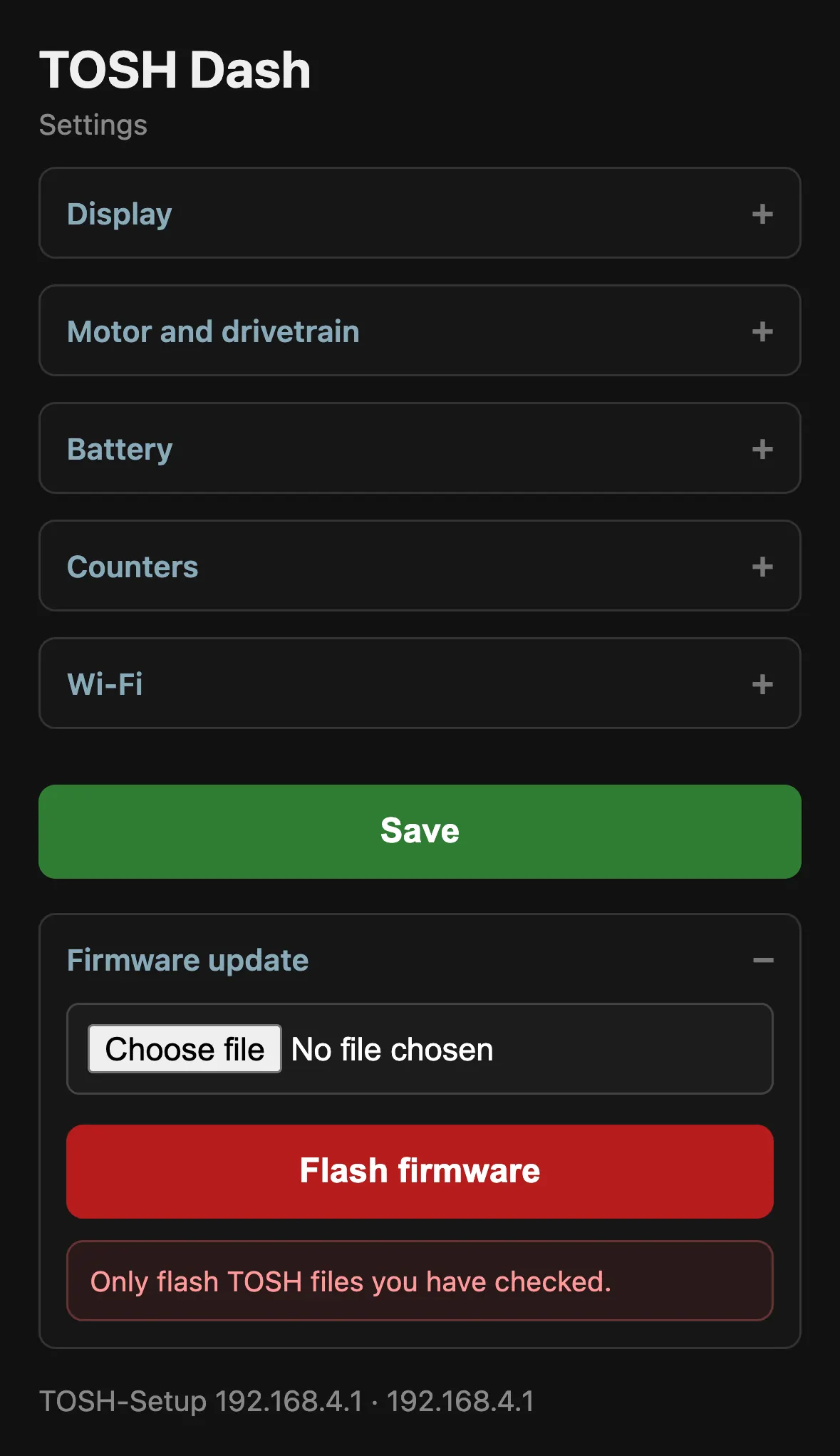
Open the settings at 192.168.4.1 on the TOSH-Setup network, or at
tosh.local on your home network. Changes apply the moment you tap Save.
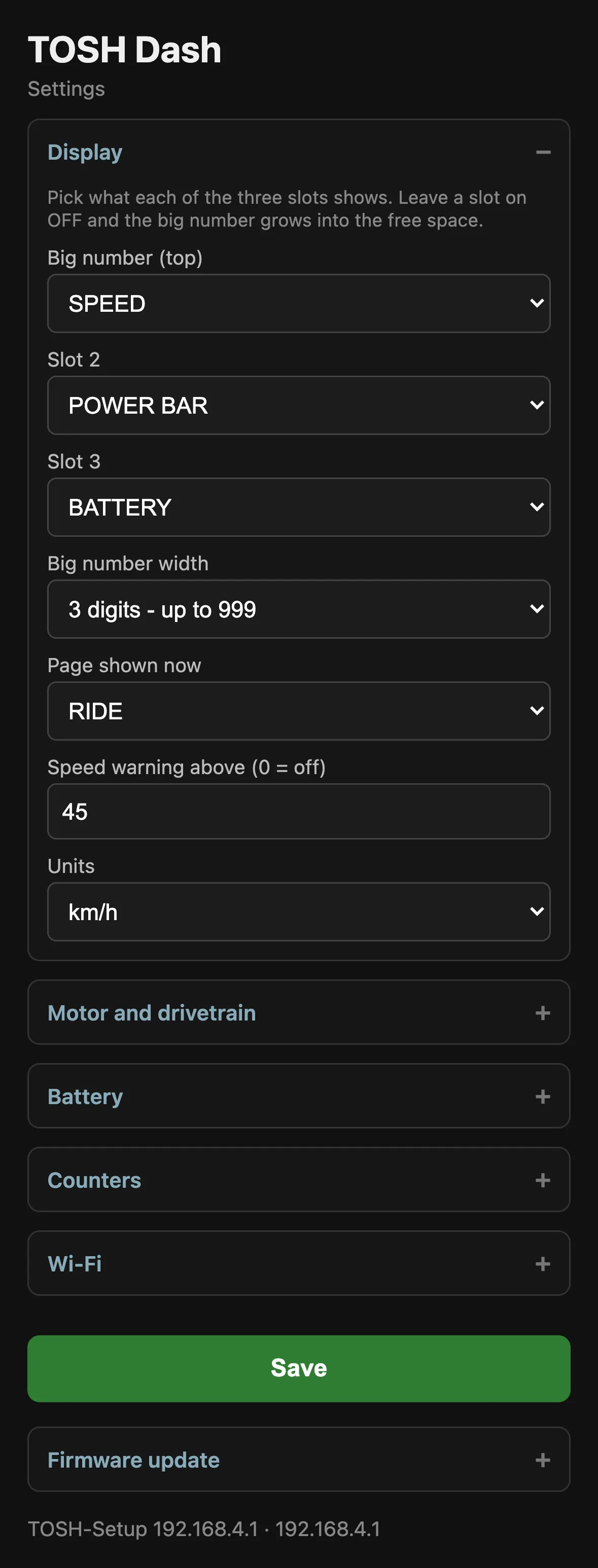
Display
Big number, Slot 2, Slot 3
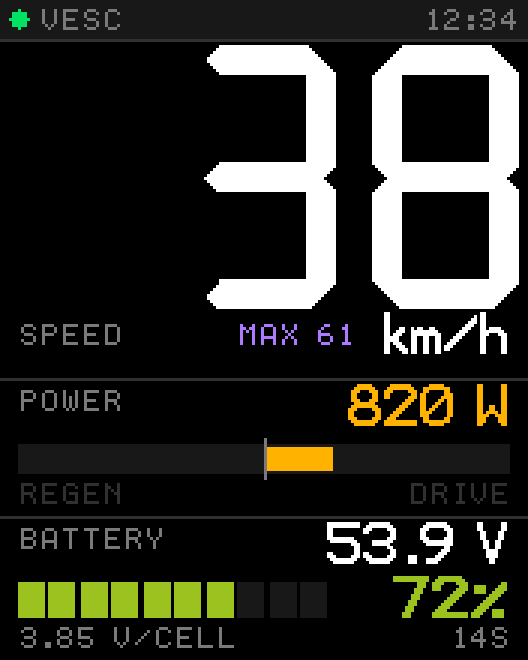
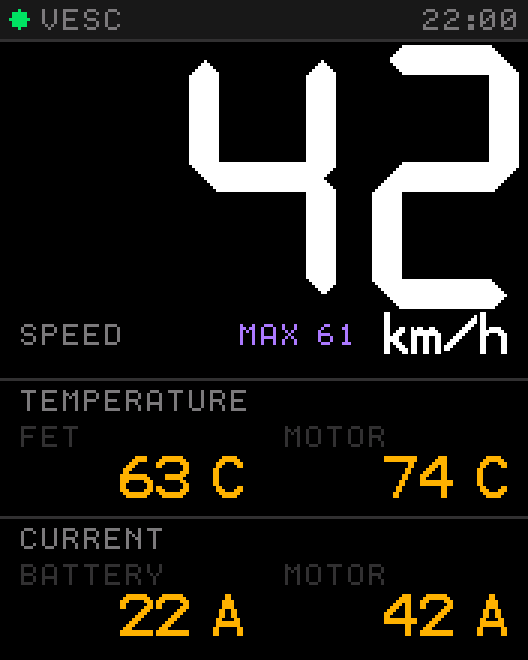
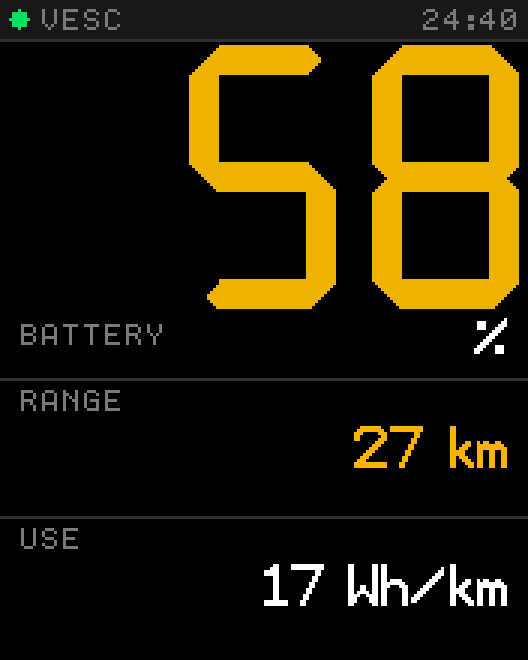
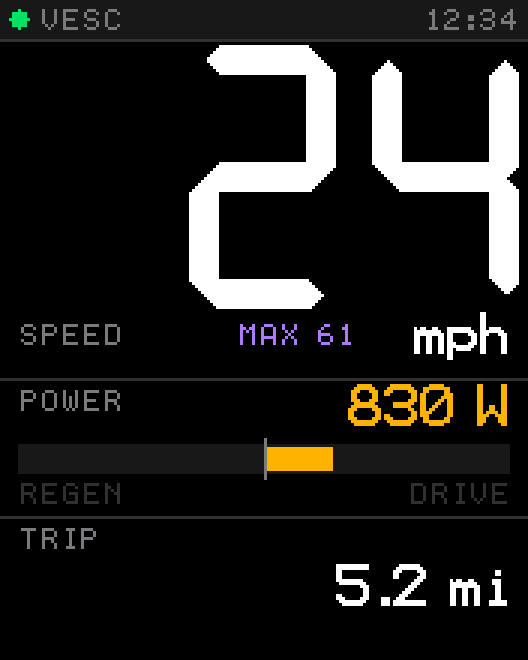
Choose what each of the three slots shows. The big number takes any single value; slots 2 and 3 can also hold the bars and the side-by-side blocks.
What changes: the ride page rearranges itself. Set a slot to OFF and the big number grows into the free space.
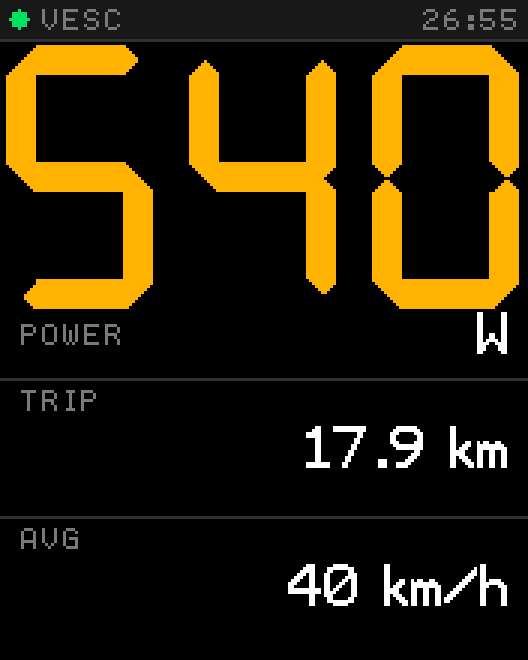
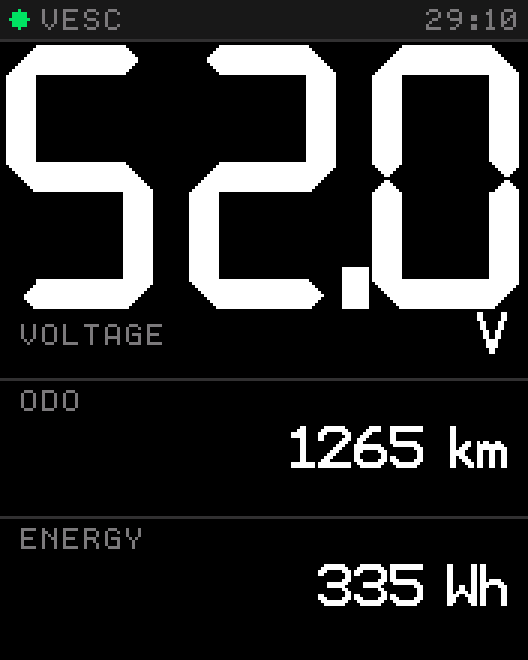
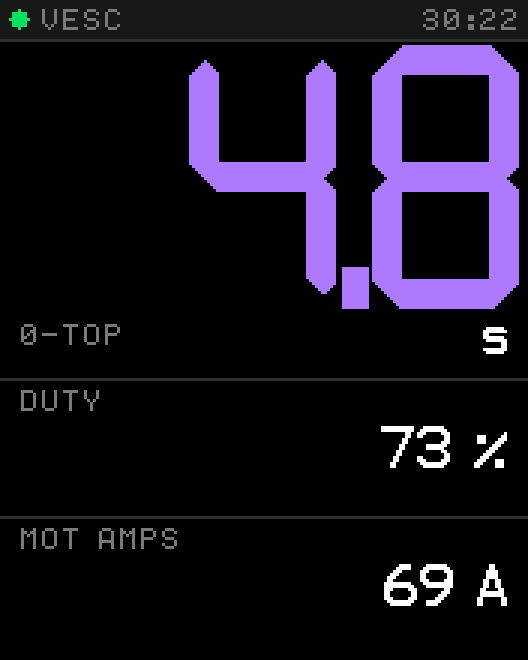
Big number width
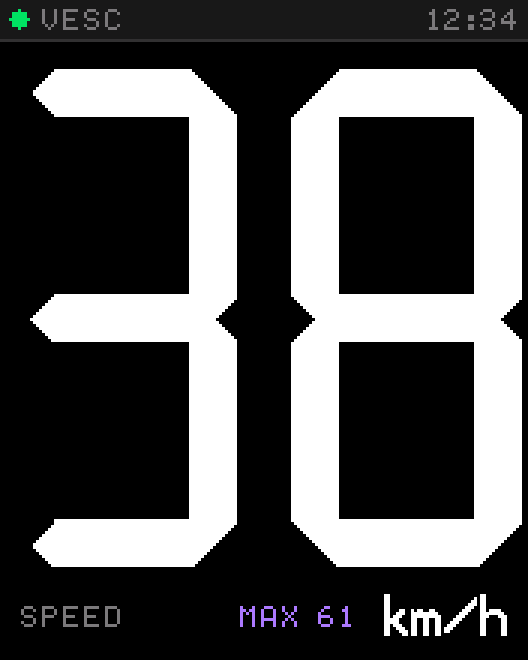
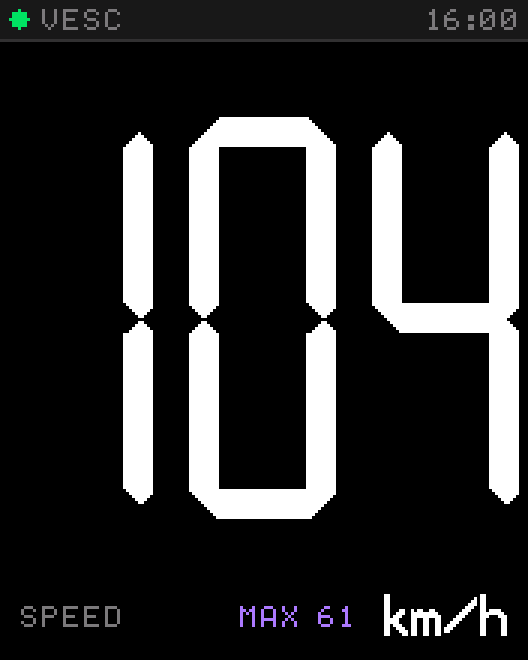
3 digits shows values up to 999. 2 digits makes the number much bigger, up to 99 — ideal if you never exceed 99 km/h.
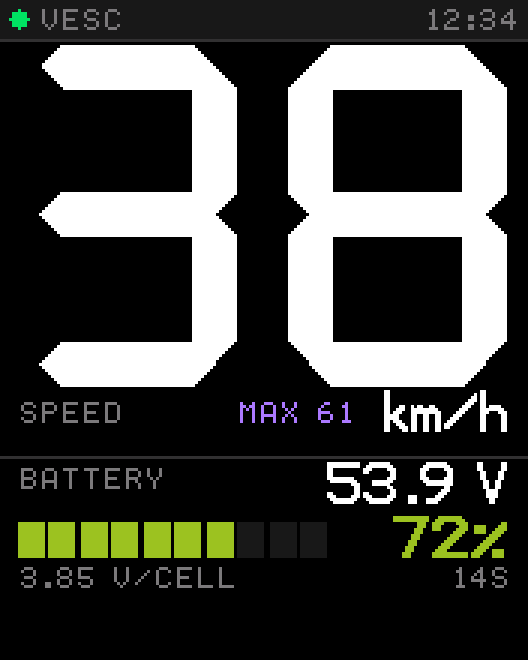
Page shown now
Switches between RIDE, RECORDS and SYSTEM. The display has no buttons, so this is how you change the page. The choice is remembered.
Speed warning above
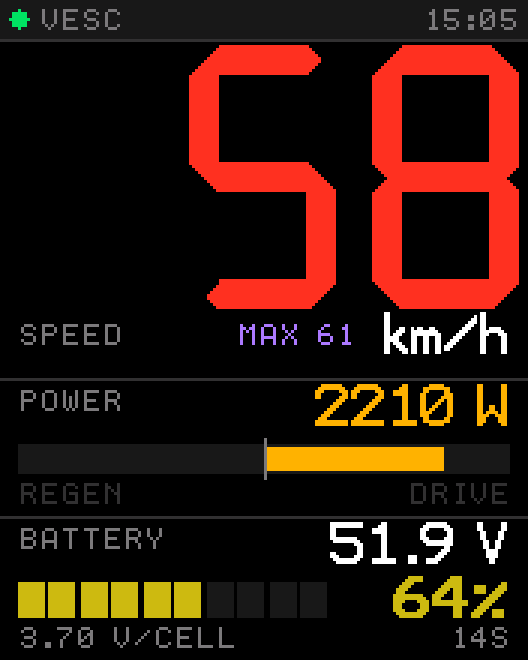
Enter a speed and the big number turns red above it. 0 switches the warning off. It is a visual cue only — it does not limit your vehicle.
Units
km/h or mph. Trip, odometer and range follow along in km or miles.
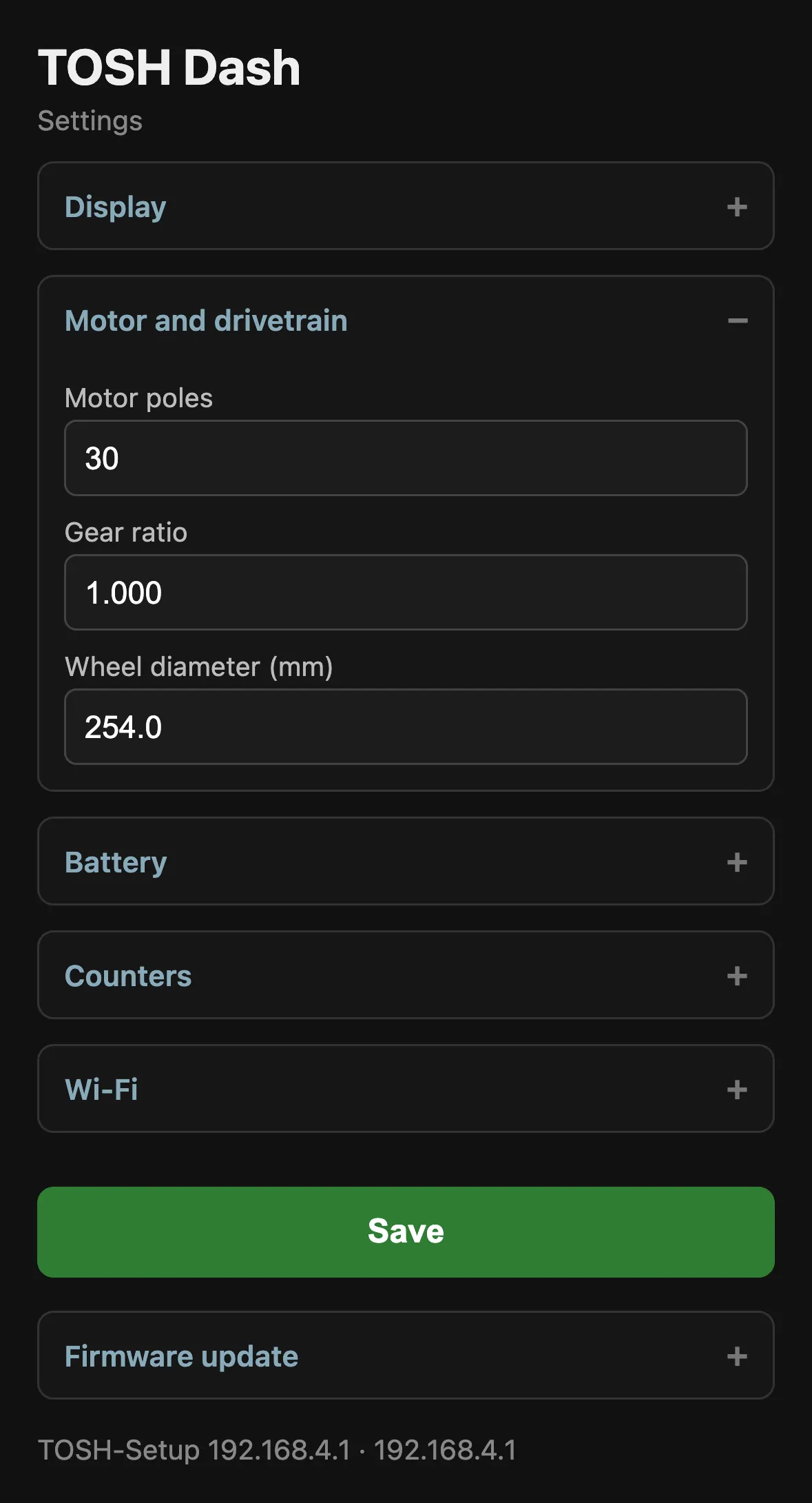
Motor and drivetrain
These three numbers turn motor revolutions into speed and distance. If they are wrong, every speed and distance value is wrong by the same factor.
| Setting | Enter | If it is wrong |
|---|---|---|
| Motor poles | Number of magnet poles — not pole pairs. | Speed reads double? You entered pole pairs. Double the value. |
| Gear ratio | 1.000 for hub motors, otherwise motor turns per wheel turn. | Speed is off by exactly your gear ratio. |
| Wheel diameter (mm) | Outer diameter of the inflated tire. | Speed is off by a few percent. |
Battery
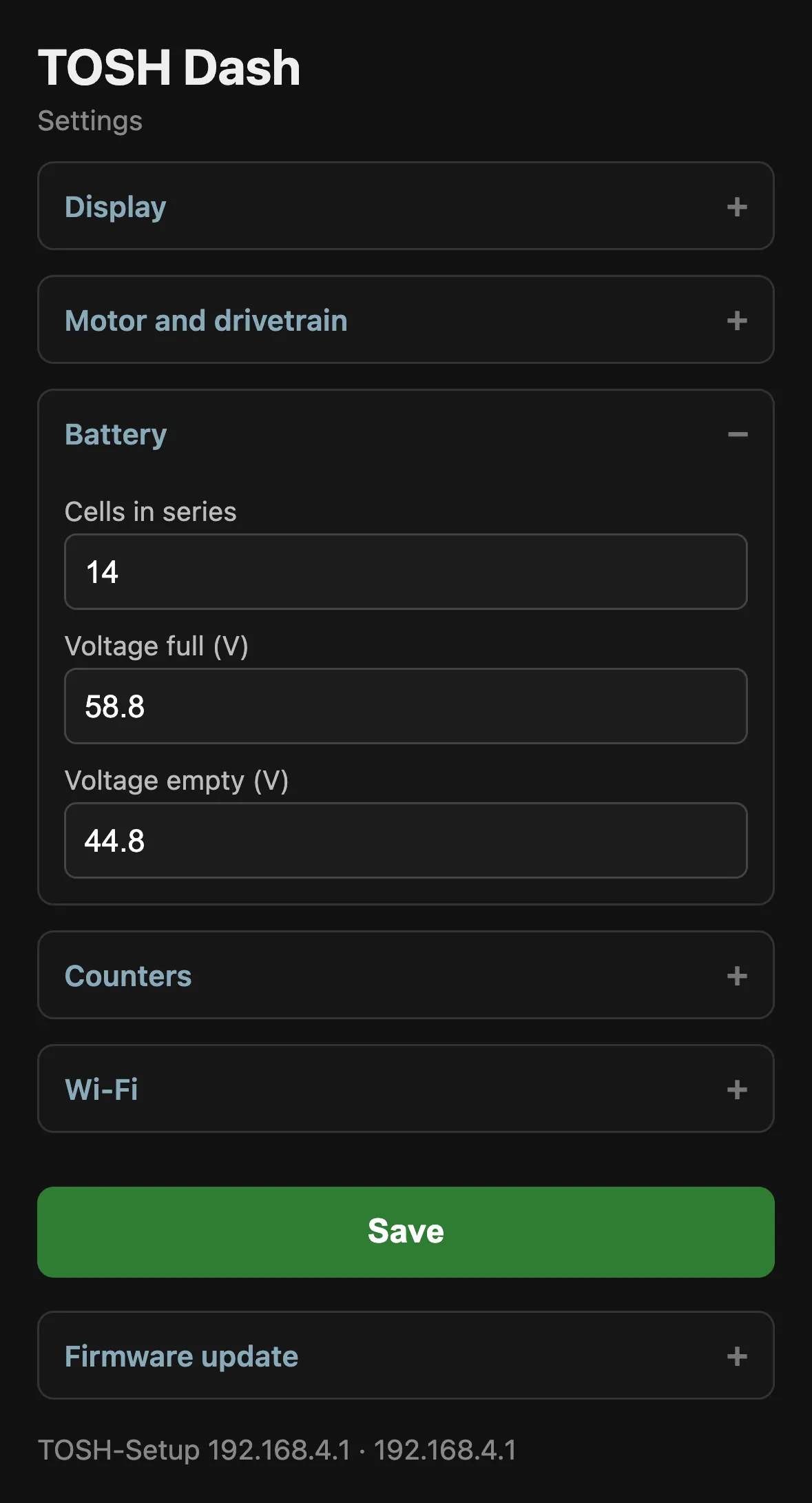
The charge percentage is calculated from pack voltage between empty and full.
| Pack | Cells | Full (4.2 V/cell) | Empty (3.2 V/cell) |
|---|---|---|---|
| 10S | 10 | 42.0 | 32.0 |
| 12S | 12 | 50.4 | 38.4 |
| 13S | 13 | 54.6 | 41.6 |
| 14S | 14 | 58.8 | 44.8 |
| 16S | 16 | 67.2 | 51.2 |
| 20S | 20 | 84.0 | 64.0 |
Values are for lithium-ion cells. Pick an empty voltage that matches your BMS cut-off — a little above it, so 0 % arrives before the pack shuts down.
What changes: percent, battery bar, color and range estimate. Voltage sags under load, so the percentage dips while you accelerate and recovers when you roll.
Counters
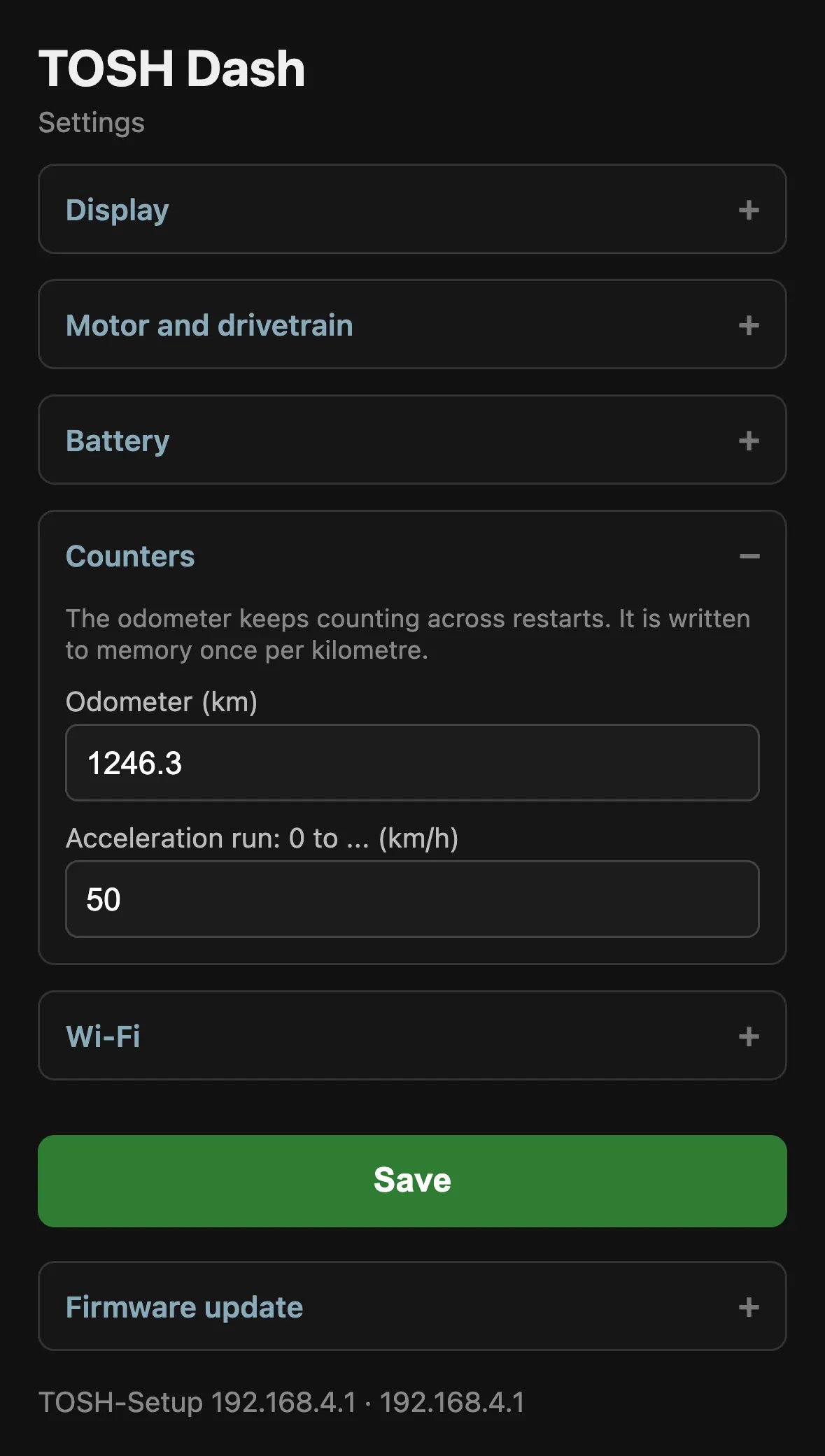
Odometer (km)
Total distance. It keeps counting across restarts and is written to memory once per kilometer. Enter a value to carry over the mileage of your vehicle, or 0 to reset.
Acceleration run: 0 to …
Target speed for the 0-TOP timer. Start from standstill; the best time of the ride appears on the records page and in the 0-TOP value.
Wi-Fi
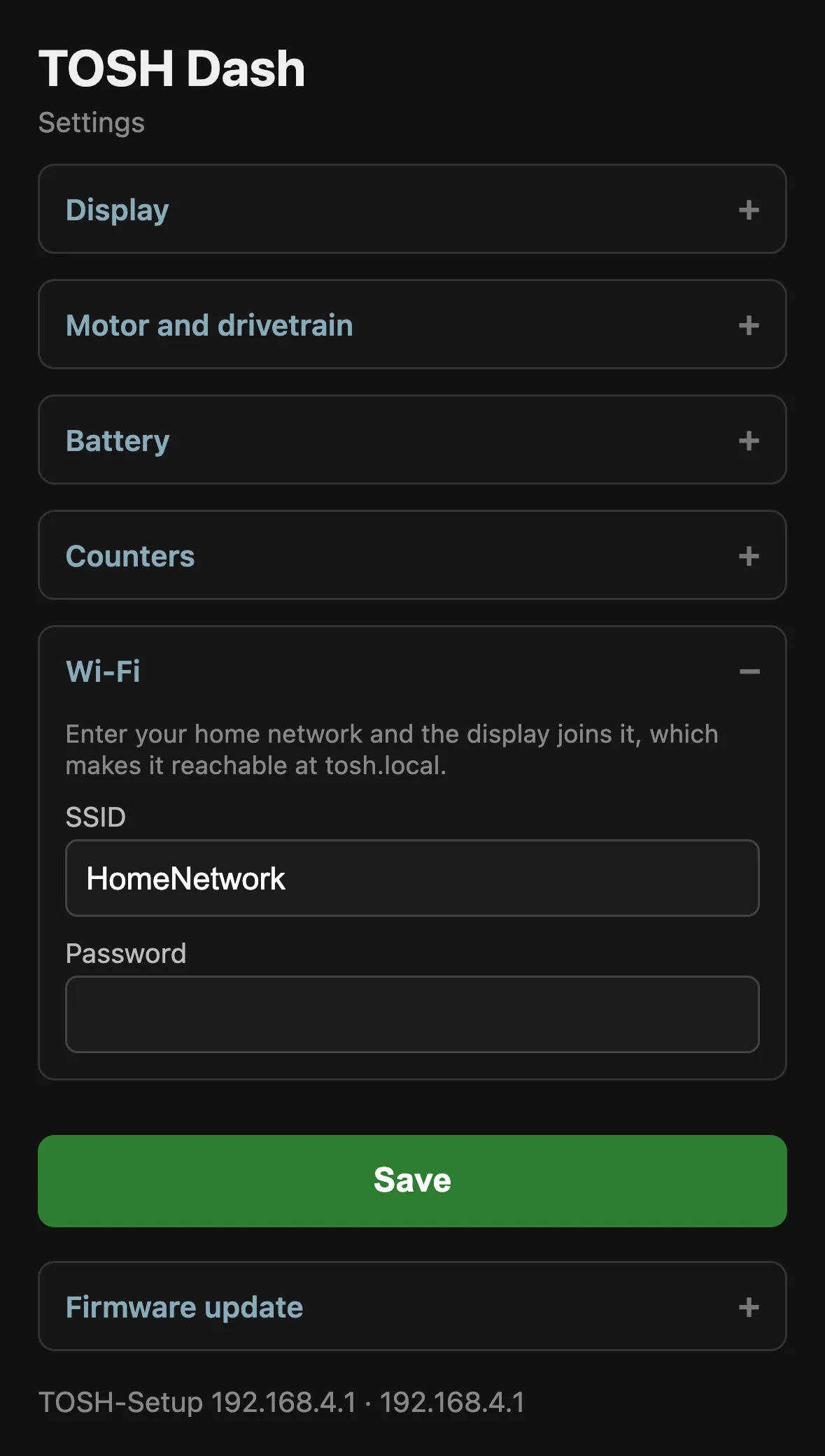
Enter your home network and Tosh Dash joins it on the next start. You then reach the settings at tosh.local.
Leave the password field empty to keep the stored password. If the network cannot be reached, the display opens TOSH-Setup again after about twelve seconds.
Firmware update
- Get the firmware file (
.bin) from me. - Open Firmware update, choose the file, tap Flash firmware.
- Wait until the display restarts. Do not switch off during the update.
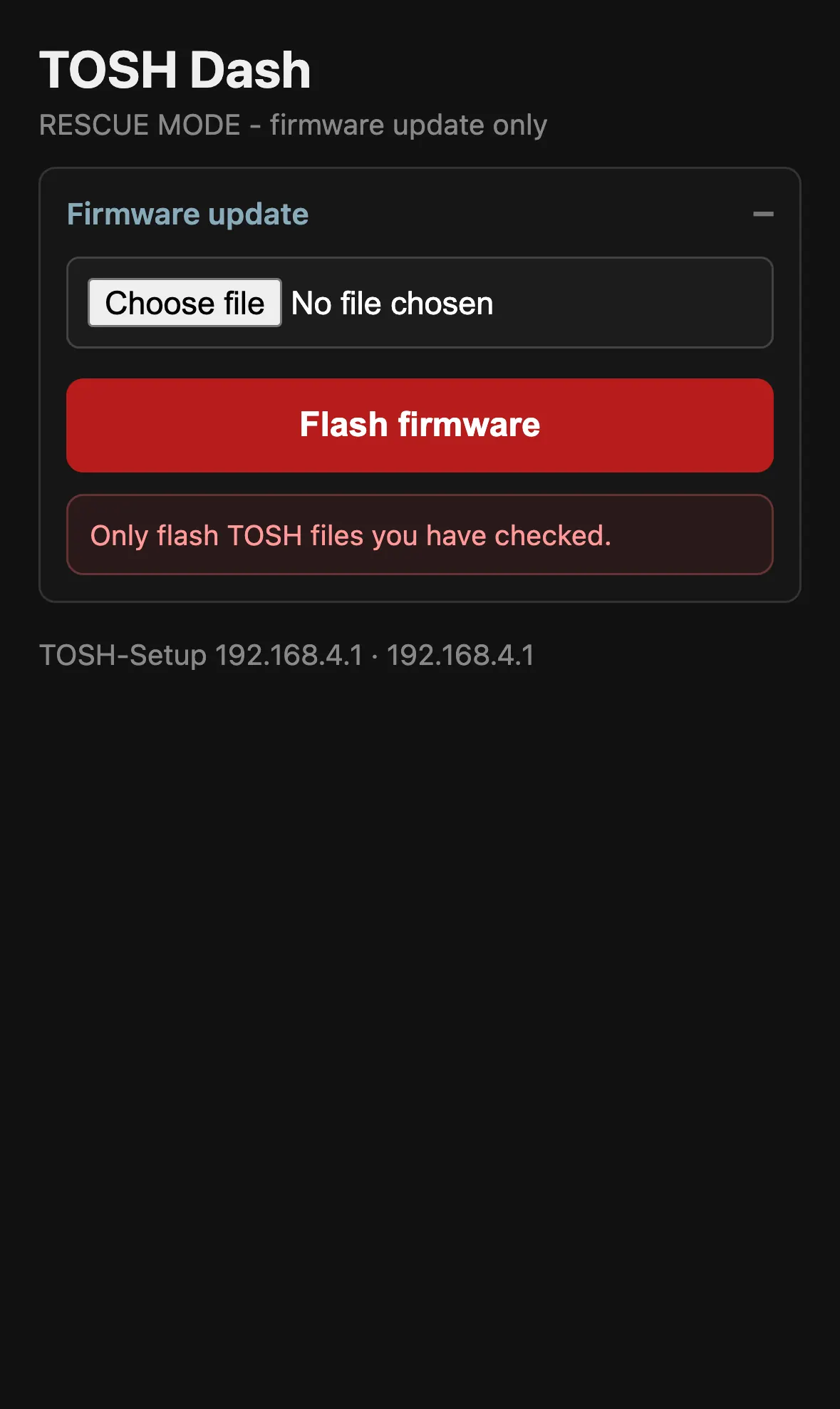
Rescue mode
If an update goes wrong: switch the display off and on three times in quick succession. It starts in rescue mode with only Wi-Fi and the updater — flash the correct file and you are back.
All values at a glance
| Value | What it shows |
|---|---|
| OFF | Leaves the slot empty. The big number grows into the free space. |
| SPEED | Current speed. As the big number it also shows your top speed. |
| POWER | Electrical power in watts. Negative and cyan while braking. |
| BATTERY | Charge in percent, colored green to red. |
| TRIP | Distance of this ride. |
| ODO | Total distance since you started counting. |
| RANGE | Estimated distance left. Tosh Dash learns your consumption as you ride, so it shows - for the first stretch. |
| USE | Consumption in Wh per km. Shows - until you have covered enough distance. |
| AVG | Average speed of this ride. |
| FET / MOTOR | Controller and motor temperature. |
| MOT AMPS / BAT AMPS | Motor current and battery current. |
| DUTY | Duty cycle in percent. |
| VOLTAGE | Pack voltage with one decimal. |
| ENERGY | Watt-hours used on this ride. |
| 0-TOP | Best acceleration time to your target speed. |
| POWER BAR | Slot 2 and 3 only. Watts plus the regen/drive bar. |
| BATTERY (bar) | Slot 2 and 3 only. Voltage, percent, volts per cell. |
| TEMPS | Slot 2 and 3 only. FET and motor temperature side by side. |
| CURRENTS | Slot 2 and 3 only. Battery and motor current side by side. |